What to Do When a Hard Drive Fails: Best Practices for Recovery and Disposal
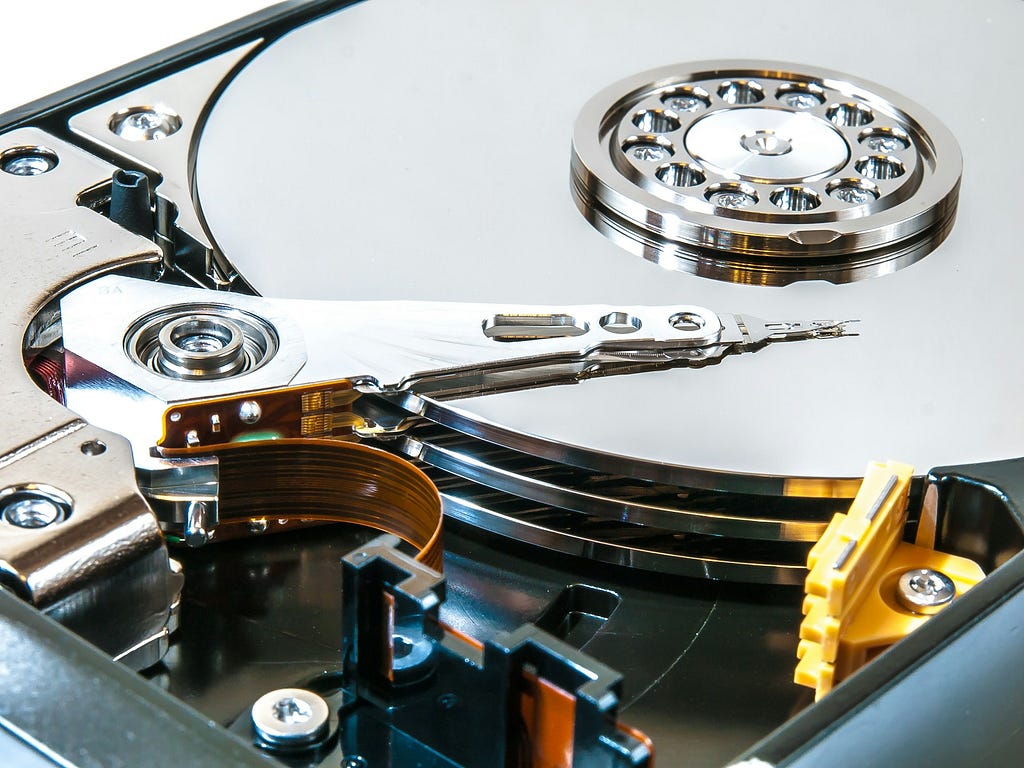
Hard drive failure is an inevitability for any organization or individual relying on storage hardware. Whether due to wear and tear, physical damage, or software corruption, failed hard drives present two primary concerns: data recovery and secure disposal. Understanding the best practices for handling failed drives ensures data security, regulatory compliance, and efficient asset management.
Hard Drive Failures: A Common Occurrence
Hard drives, both traditional HDDs and modern SSDs, are susceptible to failure. HDDs can suffer from mechanical breakdowns, such as spindle motor failure or head crashes, while SSDs often fail due to corrupted memory cells or exceeding their program/erase cycles. According to a 2023 report by Backblaze, annualized failure rates for HDDs were approximately 1.37%, with SSDs showing lower but increasing failure rates as adoption grows.
These failures can pose significant challenges:
1. Loss of access to critical data for business operations or personal use.
2. Potential recovery costs, which can be expensive for damaged hardware.
3. Security risks, as even damaged drives may retain recoverable sensitive data.
Options When a Hard Drive Fails
- Attempt Recovery for Data Retrieval
In cases where the data is irreplaceable or critical:
– Engage Professional Recovery Services: Specialized labs can often retrieve data from failed drives using advanced techniques like repairing physical damage, reading from undamaged platters, or accessing NAND flash memory directly in SSDs.
– DIY Recovery (With Caution): If the failure is logical rather than physical (e.g., corrupted file system), certain software tools may recover the data. However, tampering with the drive can worsen the damage, so professional help is recommended for high-value data.
2. Destroy Data on Drives Beyond Repair
If the failed drive’s data is no longer needed or it cannot be recovered affordably, secure destruction is the best course of action. Even non-functional drives can contain retrievable information, making secure disposal essential.
Secure Data Destruction: Best Practices
Failed drives, particularly those containing sensitive data, should be handled with the assumption that their contents are recoverable. This is where data destruction methods tailored to the drive type come into play:
For HDDs: Degaussing
– What It Is: Degaussing involves exposing magnetic storage media to a powerful electromagnetic field, rendering the stored data unreadable by erasing the magnetic alignment on the platters.
– Why It’s Effective: Degaussing is highly effective for HDDs and ensures no data can be retrieved, even by advanced forensic techniques.
– Recommended Solution: Devices like the DataGauss LG Max are ideal for organizations, as they not only degauss drives but also maintain auditable logs to prove compliance with data protection laws.
For SSDs: Shredding
– Why Degaussing Doesn’t Work for SSDs: Unlike HDDs, SSDs store data on memory chips rather than magnetic platters. This makes degaussing ineffective for these devices.
– Shredding as a Solution: SSDs should be physically destroyed to ensure no chip remains intact. Specialized shredders like the MediaGone 500 break the drive into fragments, preventing any possibility of data recovery.
Combination Approach
For mixed-use environments with both HDDs and SSDs, deploying both degaussers and shredders provides comprehensive coverage, ensuring all storage devices are disposed of securely.
Why Secure Data Disposal is Critical
Even with a failed hard drive, data can be recovered using sophisticated tools. For businesses, improperly disposed drives can lead to:
– Data breaches that expose sensitive customer or proprietary information.
– Compliance violations under laws such as GDPR, HIPAA, or CCPA, leading to substantial fines.
– Reputational damage, which can be far costlier than the initial incident.
By incorporating secure data disposal methods, businesses mitigate these risks effectively.
Hard drive failures are an unavoidable part of technology use, but how organizations handle them determines the outcome’s impact. For those needing data recovery, professional services can retrieve critical information. For others, particularly where drives are irreparable or data isn’t needed, secure destruction ensures data cannot be accessed again.
Investing in on-site data destruction tools like degaussers for HDDs and shredders for SSDs safeguards data integrity, compliance, and trust. As technology evolves, understanding and implementing these best practices is no longer optional — it’s essential for every organization.
If you are searching for suitable solutions to securely erase hard drive information, get in contact with us today: [email protected]
Photo credit: William Warby